Short video and campaign creative tools

Turn one brief into clips, ads, posters, and launch assets.

Generate short videos from ideas, images, and reference styles.

Example outputs

Start from a proven video direction.

Reference-quality previews for clarity and motion feel. These are not selectable templates.

Reference style

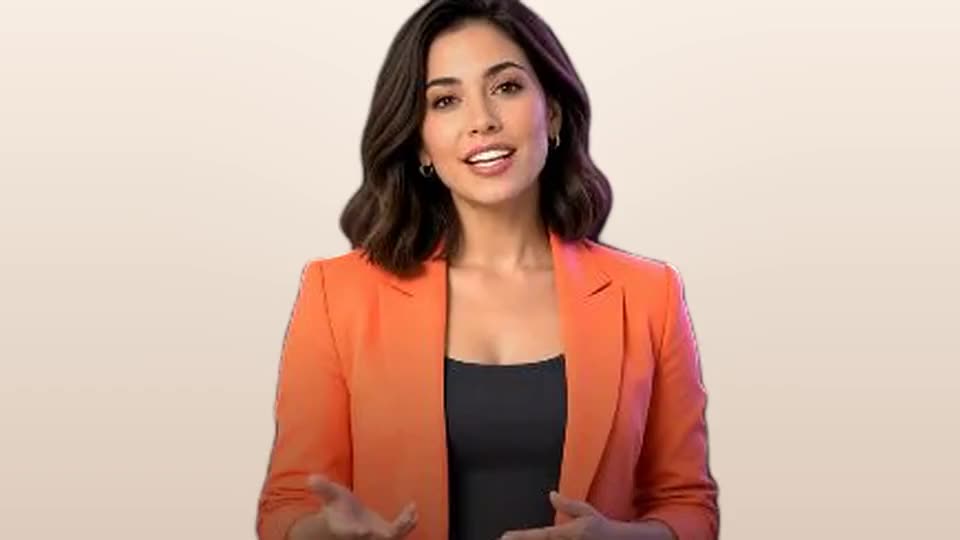
Beauty style remake

Soft studio lighting, close-up beauty framing, and a polished creator-brand mood.

16:9 · Multi-model · Full HD 1080p · 20sReference preview only
Text prompt only

Studio launch teaser

A fashion launch direction with production lighting, camera movement, and edit pacing.

16:9 · Multi-model · Full HD 1080p · 30sReference preview only

What FlareClip can make

Start with an idea, a reference video, or product images.

FlareClip turns incomplete inputs into ad scripts, visual references, prompts, scene plans, and delivery-ready creative packs.

01

Generate video from text or image

Enter a prompt or add one image reference, then choose Seedance or xAI Grok Imagine, aspect ratio, quality, duration, and voiceover settings.

Text to videoImage to videoMulti-modelAspect ratioVoiceover
Open this workflow
02

Recreate a video style

Share a reference video. We break down pacing, captions, camera language, and visual mood, then adapt the format for your product.

Style breakdownScript adaptationShot grammarReference boardPrompt pack
Open this workflow
03

Create product ads from images

Upload product images or links. Get an ad script, visual references, shot list, motion prompts, and a video snippet plan.

Ad scriptVisual referencesShot listMotion prompts
Open this workflow

Tool menu

Choose a creative workflow.

Each workflow returns a structured package you can use for short video production, ads, launch campaigns, and social content.

Video generation5 minutes to 3 hours, depending on task complexity

AI Video Generator

Upload one image and/or write a prompt in the same input box, then choose Seedance or xAI Grok Imagine, aspect ratio, quality, length, and voiceover settings.

Generated video requestModel settingsPrompt refinementVisual direction
Open tool
Video generation5 minutes to 3 hours, depending on task complexity

Text to Video Generator

Write a text prompt, choose Seedance or xAI Grok Imagine, aspect ratio, quality, duration, style, camera motion, and optional voiceover.

Generated video requestModel settingsPrompt refinementVisual direction
Open tool
Style remake1-3 hours after request confirmation

Video Style Replicator

Share a reference video and get a style breakdown, script adaptation, shot grammar, visual references, and reusable prompt pack.

Style breakdownScript adaptationShot grammarVisual reference board
Open tool
Product ads2-4 hours after request confirmation

Product Image Ad Video Generator

Turn product images into a complete ad package: script, visual reference board, motion prompts, caption timing, and draft video snippet plan.

Ad scriptVisual referencesShot listMotion prompts
Open tool
Video ads30-90 minutes after request confirmation

AI Short Video Ad Generator

Get a reviewed production-ready script, hook set, storyboard, shot list, caption pack, and CTA variations for short-form ads.

Hook set30-60s scriptStoryboardShot list
Open tool
UGC briefs20-60 minutes after request confirmation

UGC Script Generator

Prepare a practical UGC script with hooks, scenes, talking points, b-roll prompts, and creator notes.

Creator scriptScene beatsB-roll listCaption options
Open tool
Poster generation5 minutes to 3 hours, depending on task complexity

AI Poster Generator

Describe the poster, optionally upload a reference image in the same input, then choose a vertical output size, text language, and visual style.

Poster conceptCopy hierarchyLayout directionImage prompt
Open tool
Launch campaigns1-3 hours after request confirmation

Product Launch Creative Pack

A compact campaign package for founders and makers who need launch creative assets from one brief.

Launch hooksShort video outlinePoster directionSocial captions
Open tool
Video ads1-3 hours after request confirmation

Image to Video Ad Brief

Describe the product and source assets; get a structured motion, scene, caption, and QA brief.

Motion planScene listCaption timingAsset checklist
Open tool

How it works

From rough input to usable creative assets.

Choose a workflow, submit the source material, confirm the credits, and receive a structured package with scripts, prompts, visual references, and delivery notes.